←
All the Latest News
AI Assistant
New Feature
September 2026
Rose

Your publication takes shape with AI

All it takes is an idea to create a text and image that fit the purpose.

Share
Your publication takes shape with AI

Describe your idea in one sentence: the assistant drafts the post, suggests a title, and generates an image that matches the topic. You make any necessary adjustments, then publish it.

‍

What's Changing

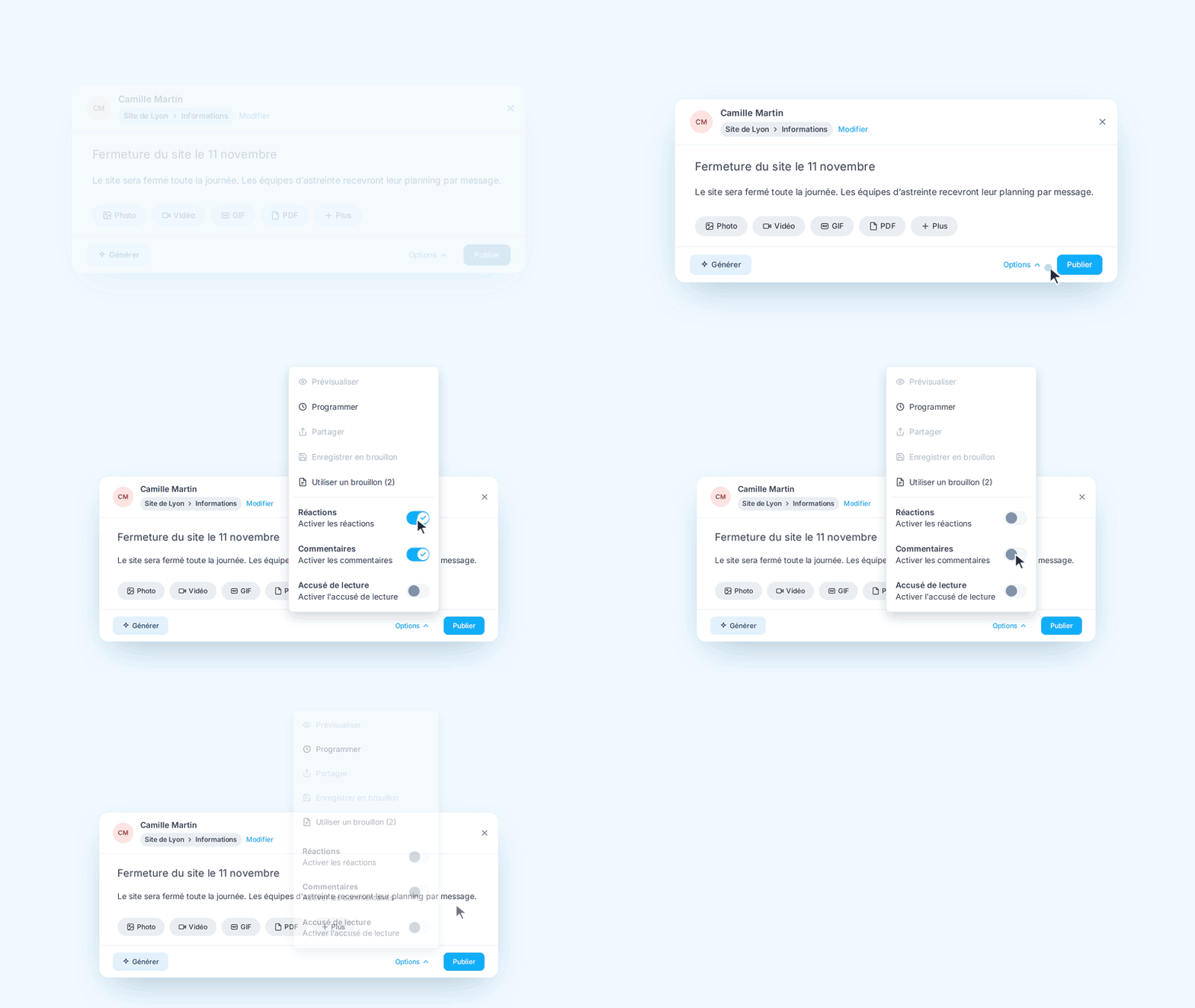
Creating a post now begins with a free-form text field. You can write whatever you want to share there—in a few words or a few lines. The wizard then generates a structured text with a title and formatting suited for the news feed, as well as an illustrative image.

Nothing is published automatically. The draft remains editable: you can rewrite a paragraph, change the tone, regenerate the image, or replace it with your own image before publishing.

‍

What You Get Out of It

  • A faster start: the blank page disappears, and you start with a draft.
  • More frequent posts: Local representatives post content without being editors.
  • A visual every time —even without access to a stock photo library or a graphic designer.
  • You're in control: proofread, customize, and publish when everything is ready.

‍

How do I use it?

  1. Describe your idea: After creating a post, open the AI assistant.
  2. Create your content: specify the topic, tone, and information to be conveyed.
  3. Customize and publish: adjust the text and visuals, then share with your teams.
Share this news
Copy the link